
Download Deluge – Free, Secure, Open‑Source BitTorrent Client for Mac
Overview of Deluge
Deluge is a lightweight, free (GPL‑licensed) BitTorrent client that runs natively on macOS, Windows and Linux. Developed by the dedicated Deluge Team, the application belongs to the “Internet & Network” category and more specifically to the “File Sharing & Peer‑to‑Peer” sub‑category. Even though its latest stable release (v1.3.5.1) dates back to February 2013, the client remains popular among power users because of its minimal system footprint, modular plug‑in architecture, and the fact that it is completely free of charge.
According to recent download statistics, Deluge is especially popular in English‑speaking markets such as the United Kingdom, United States and Canada, with more than 14 000 cumulative downloads since its addition to our catalog in 2012. The program’s size is deliberately kept small, requiring far less disk space than many competing torrent clients, which makes it an attractive choice for users with limited storage or those who prefer a clean, unobtrusive installation. In addition to its core capabilities—adding, pausing, and managing torrents—Deluge supports encrypted connections, bandwidth throttling, proxy configuration and a powerful web UI that can be accessed remotely.
Because the software is open source, security updates and community‑driven bug fixes are regularly merged, ensuring a safe and up‑to‑date experience without the need for a costly licence. Whether you are a seasoned torrent enthusiast or a casual user looking for a reliable, no‑frills client, Deluge offers a balanced blend of performance, flexibility and privacy on macOS.
Key Features and Installation Guide
Feature List
- Modular plug‑in system – add only the functionality you need.
- Web UI – manage torrents from any browser on the same network.
- Full encryption support (TLS/SSL) for secure peer connections.
- Bandwidth scheduler and per‑torrent throttling.
- Proxy support (SOCKS5, HTTP, I2P) for added anonymity.
- Cross‑platform compatibility (macOS, Windows, Linux).
- Auto‑update mechanism that checks for the latest stable builds.
- Lightweight footprint – less than 30 MB of disk space.
- Integrated RSS downloader for automated torrent acquisition.
- Extensive API for developers to create custom extensions.
Step‑by‑Step Installation on macOS
Installing Deluge on a Mac is straightforward and can be completed in a few minutes. Begin by visiting the official Deluge website or a trusted software repository and download the macOS DMG package for version 1.3.5.1. Once the download finishes, double‑click the DMG file to mount the installer.
Drag the Deluge icon into the Applications folder, which copies the app to your system and makes it available from Launchpad. macOS may display a warning because Deluge is not notarized; simply right‑click the app, select “Open,” and confirm you wish to run it. Upon first launch, Deluge will ask whether you want to enable the optional daemon (background service) and the web UI; enable these if you plan to manage torrents remotely. Next, configure your preferred download folder, set bandwidth limits, and choose any plug‑ins you require via the Preferences → Plugins menu.
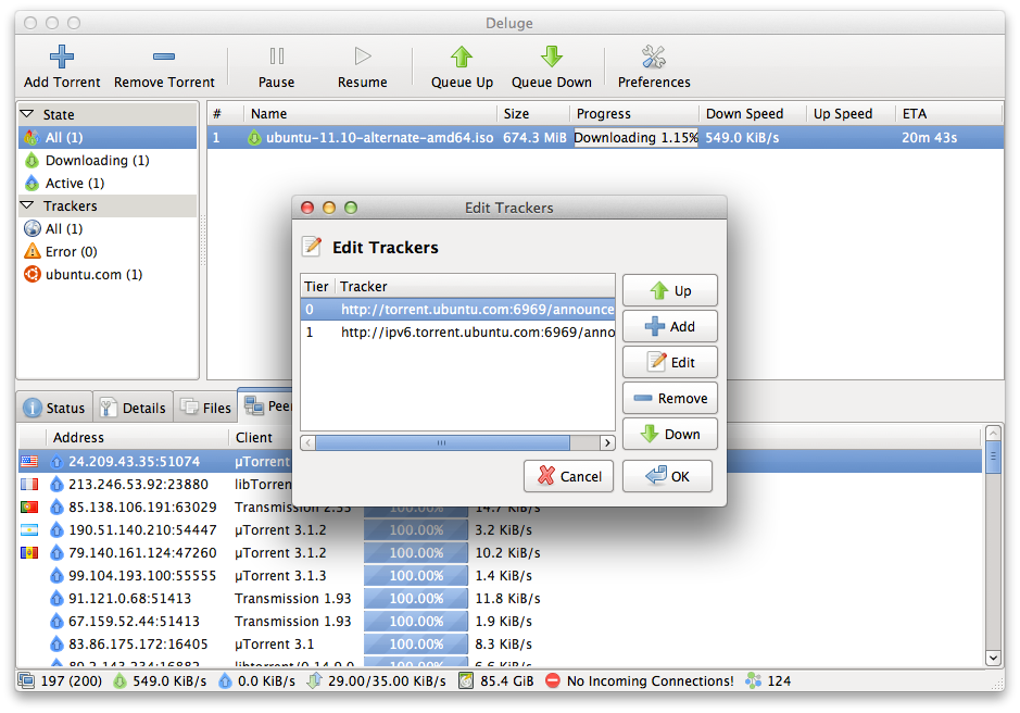
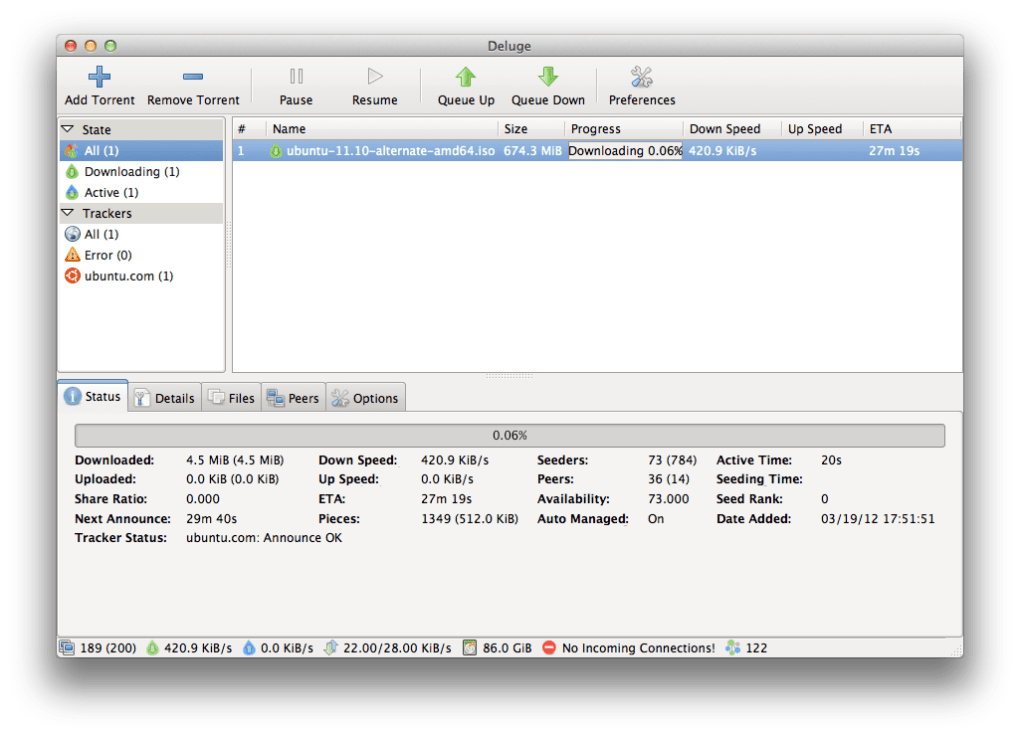
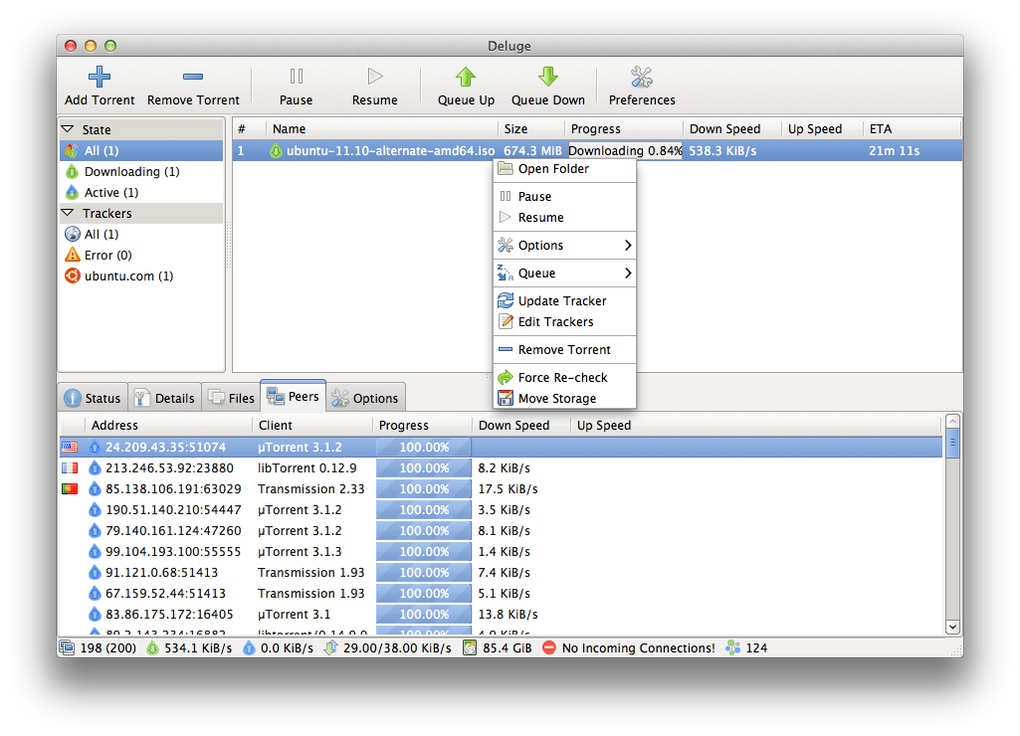
The client will automatically check for updates, but given the age of the last official release, you may wish to subscribe to the project’s GitHub page for community‑maintained patches. After configuration, simply add torrent files or magnet links using the “+” button or by dragging files onto the Deluge window. The client will begin downloading, and you can monitor progress, peer connections and speed statistics in real time.
Compatibility, System Requirements, Pros & Cons
Operating System Support
Deluge runs on macOS 10.7 (Lion) and newer versions, including the latest macOS Ventura releases. The same codebase also supports Windows 7/8/10/11 (64‑bit) and popular Linux distributions such as Ubuntu, Fedora and Arch Linux. Because the client is written in Python and uses the GTK toolkit, it can be compiled for virtually any UNIX‑like environment, giving it a truly cross‑platform reputation. For macOS users, the native app offers a polished Cocoa interface, while power users may prefer the headless daemon combined with the web UI for remote management.
Pros
- Free and open‑source – no hidden fees or subscription model.
- Very small installation size; minimal impact on system performance.
- Highly modular – install only the plug‑ins you need.
- Strong privacy features: encryption, proxy, and IP‑filtering.
- Web UI enables remote control from any device.
- Cross‑platform consistency ensures a similar experience on Mac, Windows and Linux.
- Active community that provides unofficial updates and security patches.
Cons
- Last official stable release is from 2013; no official support for newer macOS features.
- Interface feels dated compared to modern commercial torrent clients.
- Requires manual plug‑in installation for advanced features, which may be intimidating for beginners.
- Occasional compatibility issues with the latest macOS security settings (Gatekeeper).
- Lack of built‑in video preview or media playback within the client.
FAQ and Final Thoughts
Frequently Asked Questions
-
Is Deluge truly free or does it contain ads?
Deluge is completely free and open‑source under the GPL license. It does not display advertisements, and all features are available without a paid upgrade.
-
Can I run Deluge on macOS Ventura?
Yes. Although the last official build predates Ventura, the application runs without major issues. Users may need to allow the app in System Preferences → Security & Privacy due to Gatekeeper warnings.
-
How do I enable the Web UI on a Mac?
Open Deluge → Preferences → Plugins, enable “Web UI,” then configure a port (default 8112) and set a password. Access the interface via
http://localhost:8112in any web browser. -
Does Deluge support encrypted connections?
Yes. Deluge includes full TLS/SSL encryption for peer‑to‑peer traffic, which can be toggled in Preferences → Network.
-
Can I automate torrent downloads with RSS?
Absolutely. Enable the “RSS” plug‑in, add your feed URLs, and configure filters to automatically add matching torrents to the queue.
Conclusion & Call to Action
Deluge remains a solid choice for macOS users who value a free, lightweight and highly configurable BitTorrent client. Its open‑source nature ensures transparency, while the plug‑in ecosystem allows you to tailor the application to your exact workflow—whether you need a simple desktop client or a remote‑controlled daemon. Although the UI may feel a bit nostalgic and official updates have slowed, the active community keeps the software relevant and secure. If you are looking for a torrent client that won’t hog system resources, respects your privacy and offers extensive customization, Deluge is worth a download today. Click the button below to get the latest macOS package and start managing your torrents with confidence.







